How Do Teachers Check for AI? The Checklist They Actually Use
How do teachers check for AI? Version history, past work, a viva, fake references, Turnitin's AI report, and what to do if you are wrongly flagged.
How do teachers check for AI? Mostly by looking at how your work was made, not by trusting one number. A careful teacher checks your drafts and version history, compares the work with what you have written before, asks you to explain it, and checks your references. An AI detector such as Turnitin's AI report is usually the first step that starts a closer look, not the proof. Our toolkit for teachers is built around that same process.
This guide is written for students who want to know what happens to their work, and it doubles as a fair checklist for teachers. It covers each check teachers use, what Google Classroom can and cannot see, what to do if you are wrongly flagged, and the honest limits of all of it.
Try it: use ProofAI's ChatGPT checker, free for 10 checks a day with no login.
How can teachers detect ChatGPT in student essays?
There is no single test. Teachers combine several kinds of evidence, and the strongest ones are about process: did this student plausibly write this, in this way, over this time? Here is the checklist most experienced teachers work through.
| Check | What the teacher looks at | How strong is it? |
|---|---|---|
| Drafts and version history | How the file grew over time in Google Docs or Word | Strong when it exists |
| Comparison with past work | In-class writing, earlier assignments, exam answers | Useful, but people improve |
| Oral follow-up or viva | Can you explain your argument and sources? | Strong, if run fairly |
| References | Do the sources exist and say what you claim? | Very concrete |
| Style and content | Sudden changes, generic content, no link to the course | A reason to look, not proof |
| AI detector | Turnitin's AI report or another tool's score | A first step only |
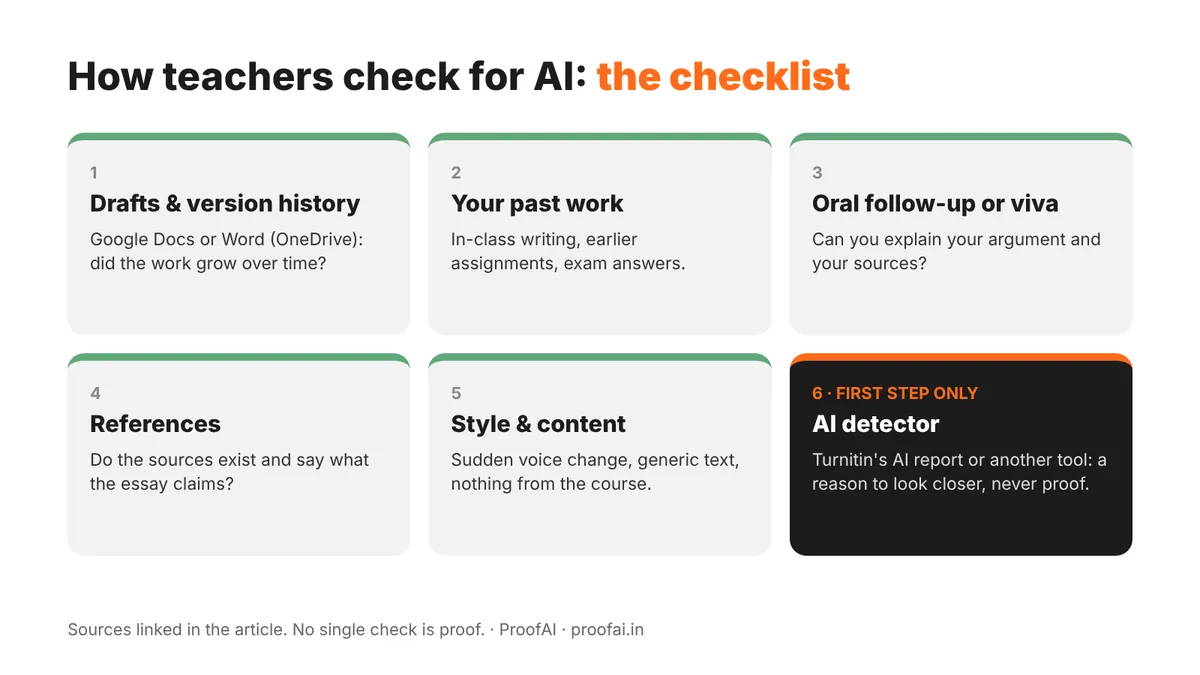
Checklist teachers use to check for AI: version history, past work, a viva, references, style changes, and an AI detector as a first step only
1. Drafts and version history
This is often the first thing a teacher opens. Google Docs keeps a version history that shows earlier versions of a file and who changed it; you open it from the "Last edit" button at the top right, and you need edit permission on the file to browse earlier versions (Google Docs Editors Help).
Microsoft Word has a similar Version History, but it only works for files stored in OneDrive or SharePoint in Microsoft 365 (Microsoft Support). A Word file saved only on your laptop may have no history at all, which is worth knowing before anyone asks for it.
What a teacher is looking for is ordinary writing behaviour: an outline, a rough paragraph, deletions, a second session the next day. A whole essay that appears in one paste, minutes before the deadline, is a reason to ask questions. It is not proof: some students write offline and paste in the final copy.
2. Comparison with your past work
Teachers who know your writing notice when it changes sharply. They compare a submission with in-class writing, earlier assignments and exam answers, which are written without AI. A jump in vocabulary, structure or confidence can have innocent causes, such as tutoring, a lot of practice or a grammar tool, so a fair teacher asks rather than assumes.
3. An oral follow-up or viva
The quickest way to see whether someone understands their own work is to ask them about it. "Talk me through your argument", "why did you choose this source?" and "what would you change?" are easy for a student who did the work and hard to answer for an essay you have not really read.
Universities are using short oral exams, or vivas, more often for this reason. Guidance from the University of Warwick recommends using vivas for key assessments or as a supplementary tool rather than for every task, and notes that they are "not a perfect solution": large classes make them time-consuming, and anxious students or those with communication barriers can be disadvantaged (University of Warwick).
4. Fake or wrong references
AI chatbots are known to invent sources that look real. In a study published in Scientific Reports, researchers checked 636 citations from literature reviews written by ChatGPT and found that 55% of the GPT-3.5 citations and 18% of the GPT-4 citations were fabricated; many of the real ones also had errors (Walters and Wilder, 2023).
That makes references one of the most concrete checks a teacher has. A paper that does not exist, a real paper that says something different, or a quotation nobody can find is verifiable evidence in a way a detector score is not. Newer models make fewer of these errors, so a clean reference list proves nothing either way.
Also read: How to Spot a Deepfake Video: A Practical Checklist
5. Sudden style changes and generic content
Teachers also notice writing that does not fit the task: polished but generic paragraphs, no examples from the set reading or class discussion, a general answer to a specific prompt, or a voice that does not sound like you. Our list of signs that content was written by ChatGPT covers the patterns people look for.
Gut feeling is weak evidence on its own, though. In one study, 72 reviewers from applied linguistics journals told AI-written research abstracts from human ones correctly only 38.9% of the time (Casal and Kessler, 2023). Experts who read for a living still guessed wrong more often than right.
6. AI detectors, as a first step only
Many schools and universities run submissions through an AI detector. The best known is Turnitin's AI Writing Report, which estimates the share of qualifying prose that is likely AI-written or AI-paraphrased. Turnitin shows an asterisk instead of a number for results under 20%, because its testing found more false positives in that range, and it says its model "may not always be accurate" and should not be used as the sole basis for adverse actions against a student (Turnitin). Our guide to the Turnitin AI score explains the report in detail.
Other detectors, such as GPTZero, Copyleaks and ProofAI, work on similar principles and share similar weaknesses. There are good reasons to treat any score with care:
- OpenAI withdrew its own detector. Its AI text classifier caught 26% of AI-written text in OpenAI's own test and wrongly labelled human text 9% of the time; it was taken down on 20 July 2023 "due to its low rate of accuracy" (OpenAI).
- Non-native English writers are flagged more often. A Stanford study found seven detectors were near-perfect on essays by US eighth-graders but classified 61.22% of TOEFL essays by non-native students as AI-generated (Stanford HAI). For students in India writing in English as a second language, this matters.
- Small error rates still hit real students. Vanderbilt University turned off Turnitin's AI detector in 2023, noting that a 1% false positive rate applied to the 75,000 papers it submitted in 2022 could have meant around 750 papers wrongly labelled (Vanderbilt University).
One thing teachers should not do is paste your essay into ChatGPT and ask "did you write this?". OpenAI says such answers are "random and have no basis in fact" (OpenAI Help Center). We explain why in can ChatGPT tell if it wrote something?
Can Google Classroom check for AI?
Not on its own. Google Classroom's originality reports compare Google Docs, Google Slides and Word files with web pages and books, flag uncited text and, if the school turns it on, check against earlier submissions from the same school (Google Classroom Help). That is a check for copying. ChatGPT usually writes new text that matches nothing, so a clean originality report means "not copied", not "not AI". Schools that want an AI check add a separate detector, and teachers can still open the version history of a Google Doc.
Want to check your own content? Try ProofAI free 10 checks a day, no login needed.
What to do if you are wrongly flagged
Being accused of using AI when you did not is stressful, and it does happen. These steps give you the best chance of a fair outcome.
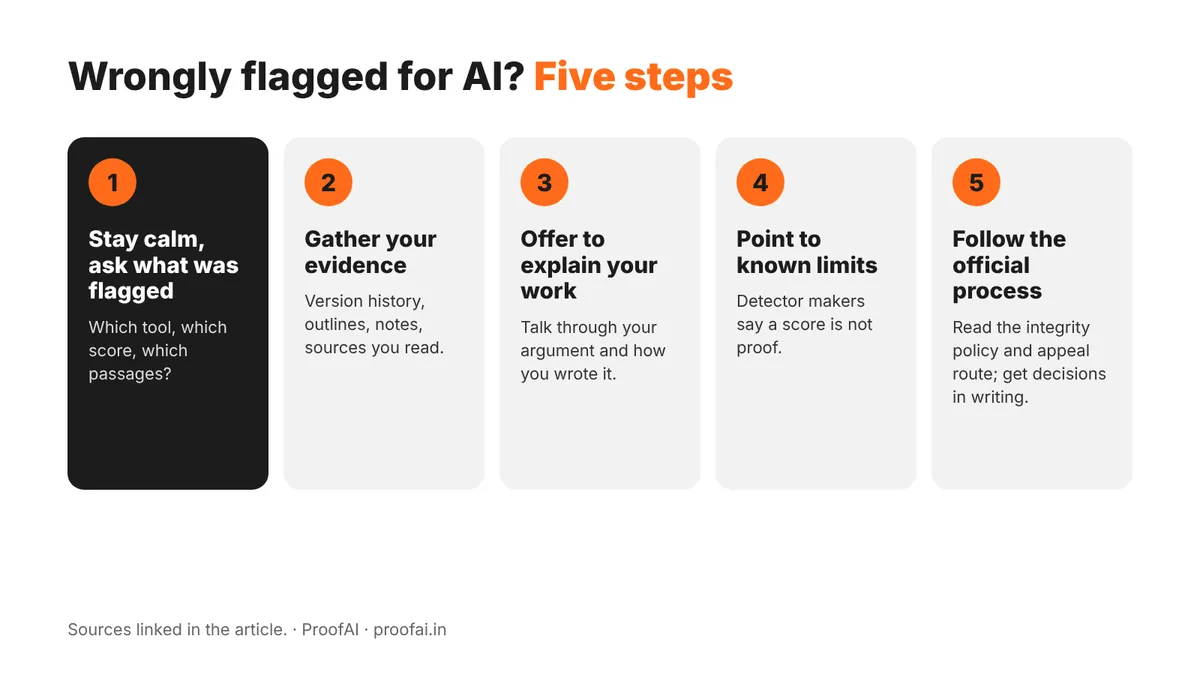
Five steps for students wrongly flagged for AI: stay calm, ask what was flagged, gather your drafts, offer to explain your work, follow your institution's process
- Stay calm and ask what exactly was flagged. Which tool, what score, and which passages? Turnitin itself says its result should not be the sole basis for action against a student (Turnitin), so it is reasonable to ask what other evidence there is.
- Gather your process evidence. Version history in Google Docs or OneDrive, outlines, handwritten notes, research tabs or downloaded papers, and messages to classmates or tutors about the work. If your course allowed some AI use, a shared link to your ChatGPT conversation shows how you used it; OpenAI suggests this to educators (OpenAI Help Center).
- Offer to explain your work. Ask for a short meeting and talk through your argument, your sources and how you wrote it. If you wrote it, this is usually the strongest evidence you have.
- Point to the known limits, politely. If you write in English as a second language, the Stanford findings above are relevant. If you used a grammar tool that your course allows, say so.
- Follow your institution's process. Read the academic integrity policy and the appeal route, and ask for decisions in writing. Our overview of AI rules at Indian universities shows how policies differ.
The best protection starts before you submit: know what AI use your course allows, disclose it when the rules ask you to, write in a file that keeps version history, and keep your notes. For long work, see how to check a thesis for AI before submission.
For teachers: a fair process in five lines
- Know your institution's AI policy and the process before you raise anything.
- Collect evidence beyond a score: specific passages, references that do not check out, comparison samples, version history.
- Have a conversation, not an accusation. Ask the student to explain the work.
- Use a detector, if at all, to decide where to look. Prefer a tool that shows which passages drove the score, and test full documents, not single paragraphs.
- Write down what you checked and why. Never base a penalty on a detector score alone.
Checking a text with ProofAI
If you want to see how a detector reads a piece of writing, paste it into the ChatGPT text checker or the free AI detector. It is free for 10 checks a day without logging in, and it highlights the passages that drove the score so you can read them rather than react to one number. Teachers can upload PDF and Word files too.
Treat the result as one signal. We publish our own test results on the accuracy page: in tests after our 17 October 2026 text engine fix, 28.6% of non-native TOEFL essays from the public Stanford set (91 essays) were still flagged as AI, and our accuracy page calls this the biggest open problem. That is exactly the bias pattern the Stanford researchers found across detectors (Stanford HAI), and it is why we say a high text score should only start a conversation.
The honest limits
- No check is proof on its own. Version history can be missing for innocent reasons, people's writing improves, and good students can freeze in an oral exam.
- Detectors make mistakes in both directions. They miss some AI text and flag some human writing, especially short, formal or second-language writing, and writing polished with AI tools.
- AI use is not always cheating. Many courses now allow AI for brainstorming or grammar if you disclose it. Whether something is misconduct depends on your course rules, not on a tool.
- The decision belongs to people. Turnitin, OpenAI and Vanderbilt all point the same way: use tools to decide where to look, and let evidence and a conversation decide the outcome.
FAQ
How do teachers check for AI in essays? Usually with a mix of checks: version history in Google Docs or Word, comparison with your earlier and in-class work, a short conversation or viva about the essay, a check of your references, and an AI detector such as Turnitin's AI report as a first step (Turnitin).
Can teachers see my Google Docs version history? Anyone with edit permission on a Doc can browse its earlier versions (Google Docs Editors Help). Whether your teacher has that access depends on how the file was shared or submitted. Many teachers ask for it when they have questions about a piece of work.
Is a Turnitin AI score proof that I used AI? No. Turnitin says its model may not always be accurate and should not be the sole basis for action against a student, and it hides scores under 20% because of false positives in that range (Turnitin).
Does Google Classroom detect ChatGPT? Its originality reports check for copied text against the web, books and, if enabled, school submissions (Google Classroom Help). That does not detect AI writing, so schools add a separate AI detector if they want one.
What should I do if my teacher says my work is AI but I wrote it? Ask what was flagged and by which tool, share your version history, notes and drafts, offer to talk through your work, and follow your institution's appeal process. Keep your tone calm; most teachers want to get it right.
Conclusion
Teachers check for AI the way a good editor checks any piece of work: how it was made, whether it fits the writer, whether its sources are real, and whether the writer can explain it. Detectors help decide where to look, and their own makers say they are not proof. If you write your own work, keep your drafts, know your course rules, and you will have what you need to show it.
Published by
AI tools may assist with drafting; a team member checks and approves every article before it is published. How we write and correct articles.
Popular AI detection tools
Ready to Verify Your Content?
Get weekly insights on AI detection. Start your journey toward digital authenticity with our AI detection tools.